Course navigation & on this pageLecture 02 · CS-702
Java setup & first programs
Understand the Java toolchain, run the supplied examples, and connect methods, input and output.
Beginner~25 min guideSource-based learning
What you’ll understand
Distinguish the JDK, compiler and runtime.
Compile and run the original HelloWorld program.
Recognize static methods, instance methods and command-line arguments.
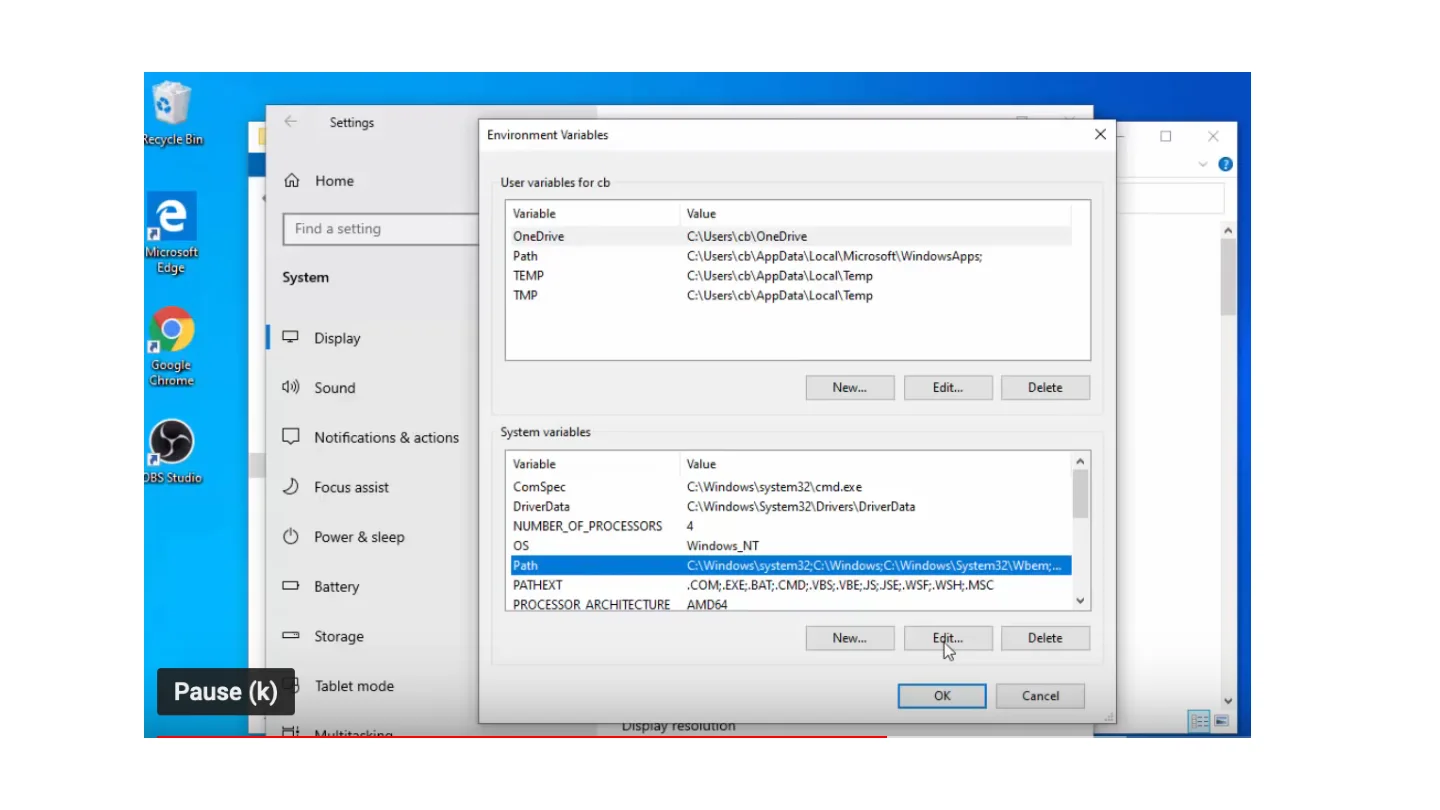
Before you begin: Lecture 00: working with files
Expanded study guide
The Java toolchain
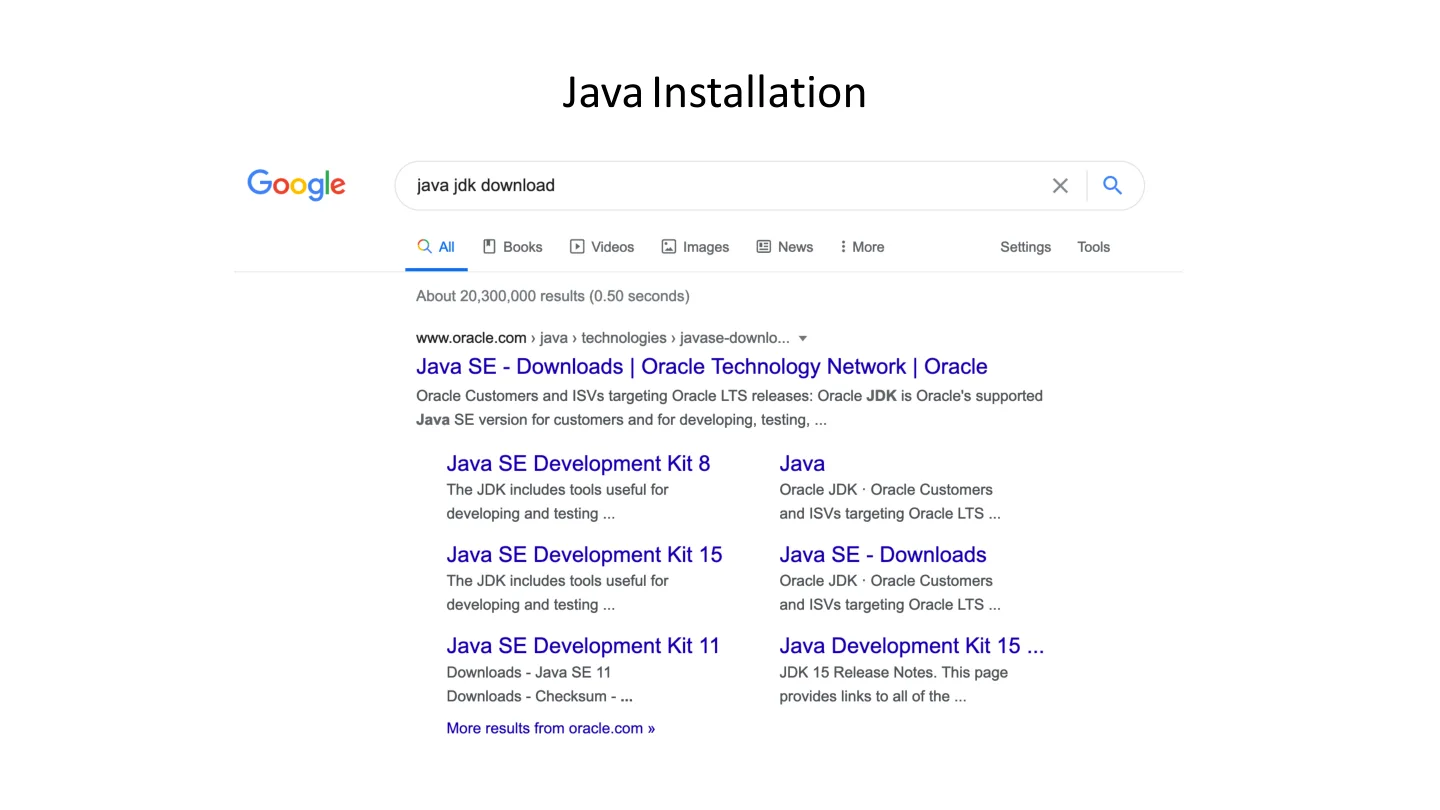
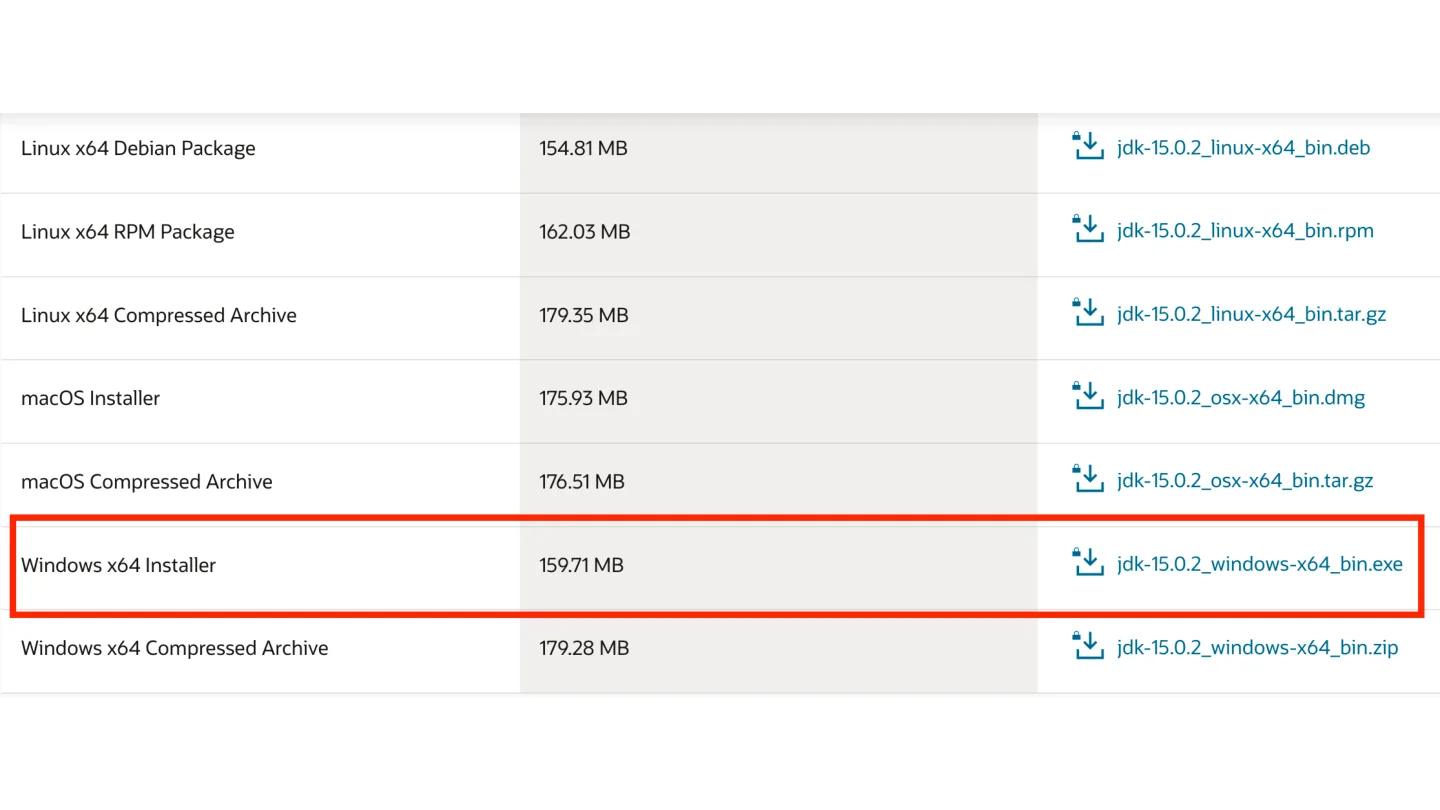
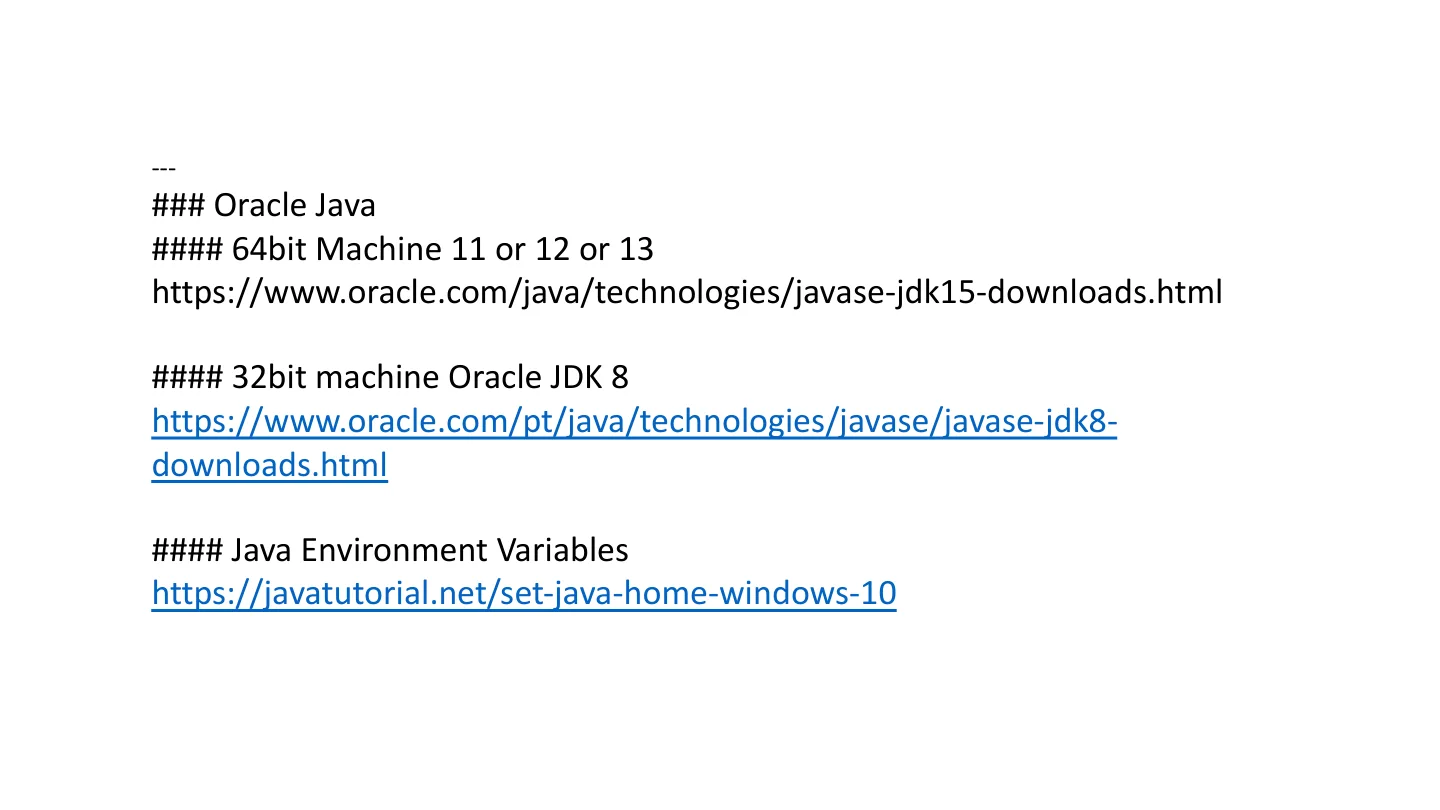
The supplied installation PDF is primarily a sequence of screenshots and historical download links. The JDK provides development tools, including javac, while java launches compiled classes. The original links mention JDK 15 and JDK 8; these are historical examples rather than a recommendation to install those versions today.
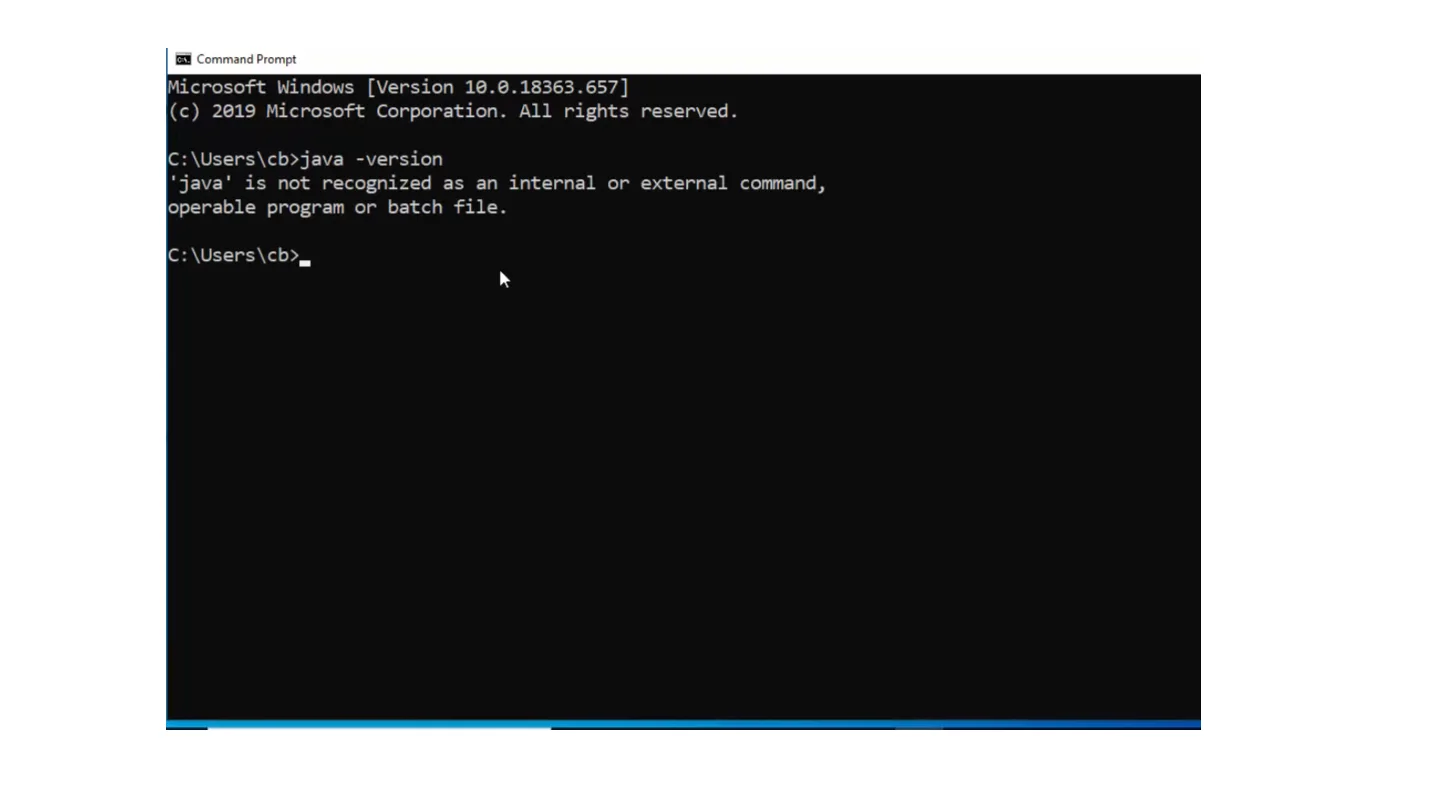
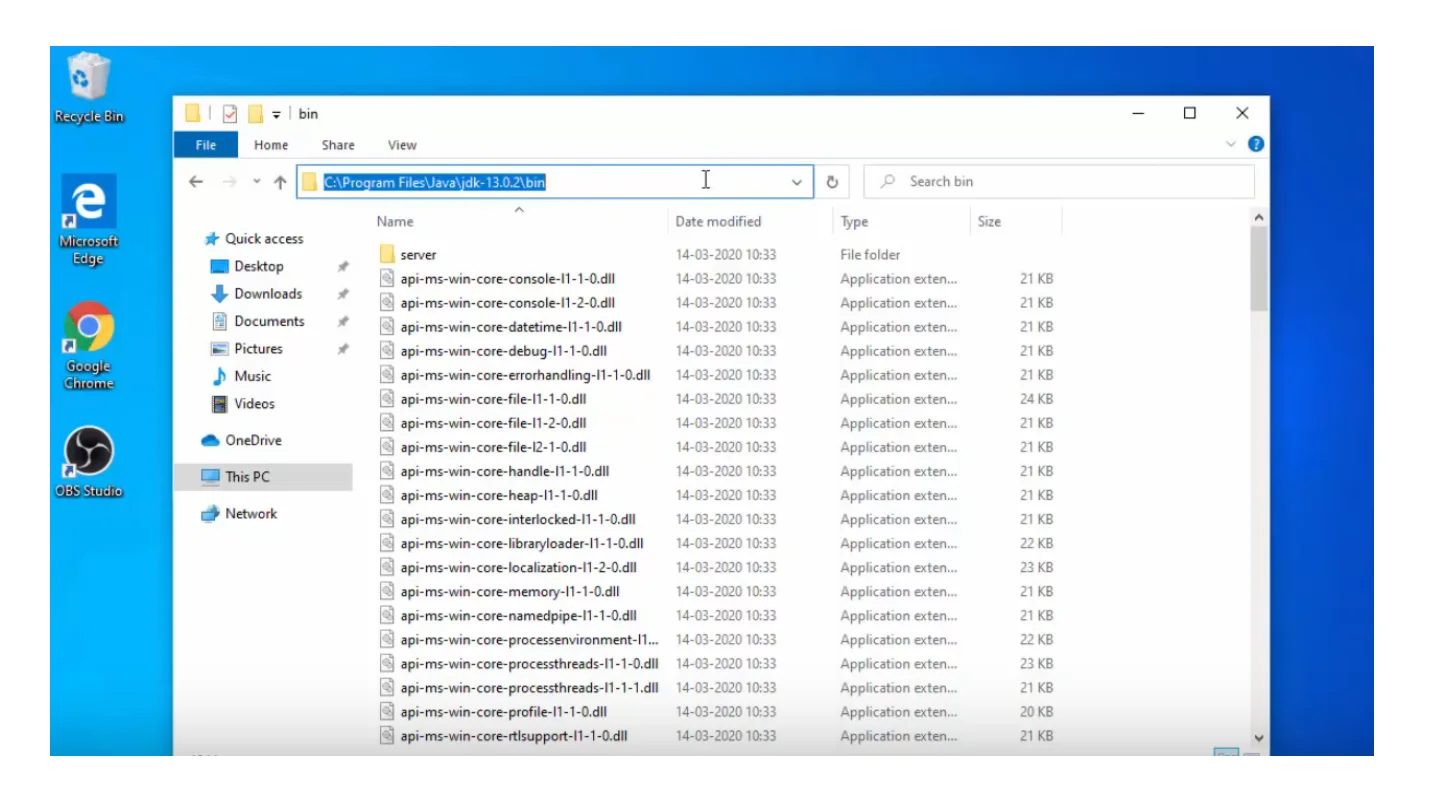
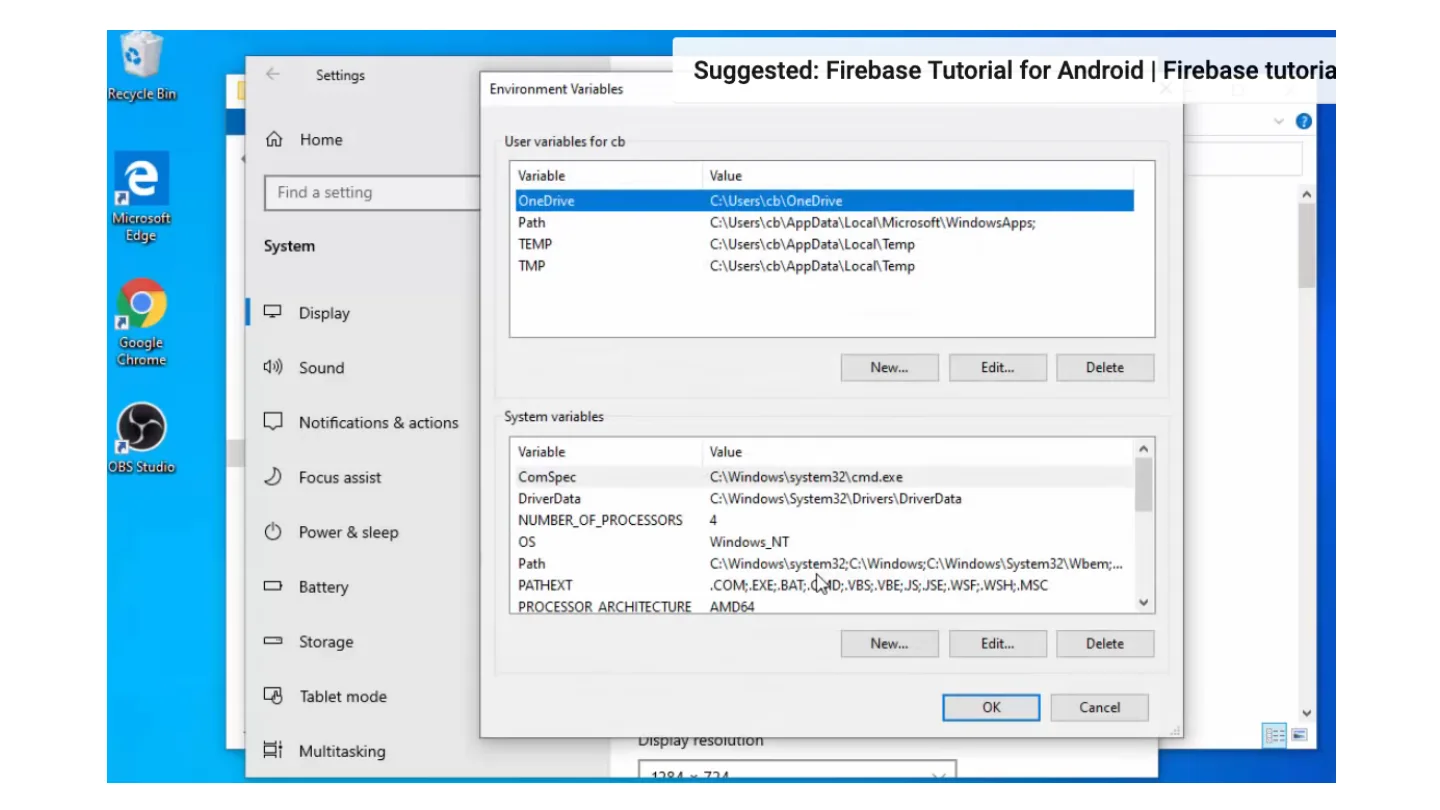
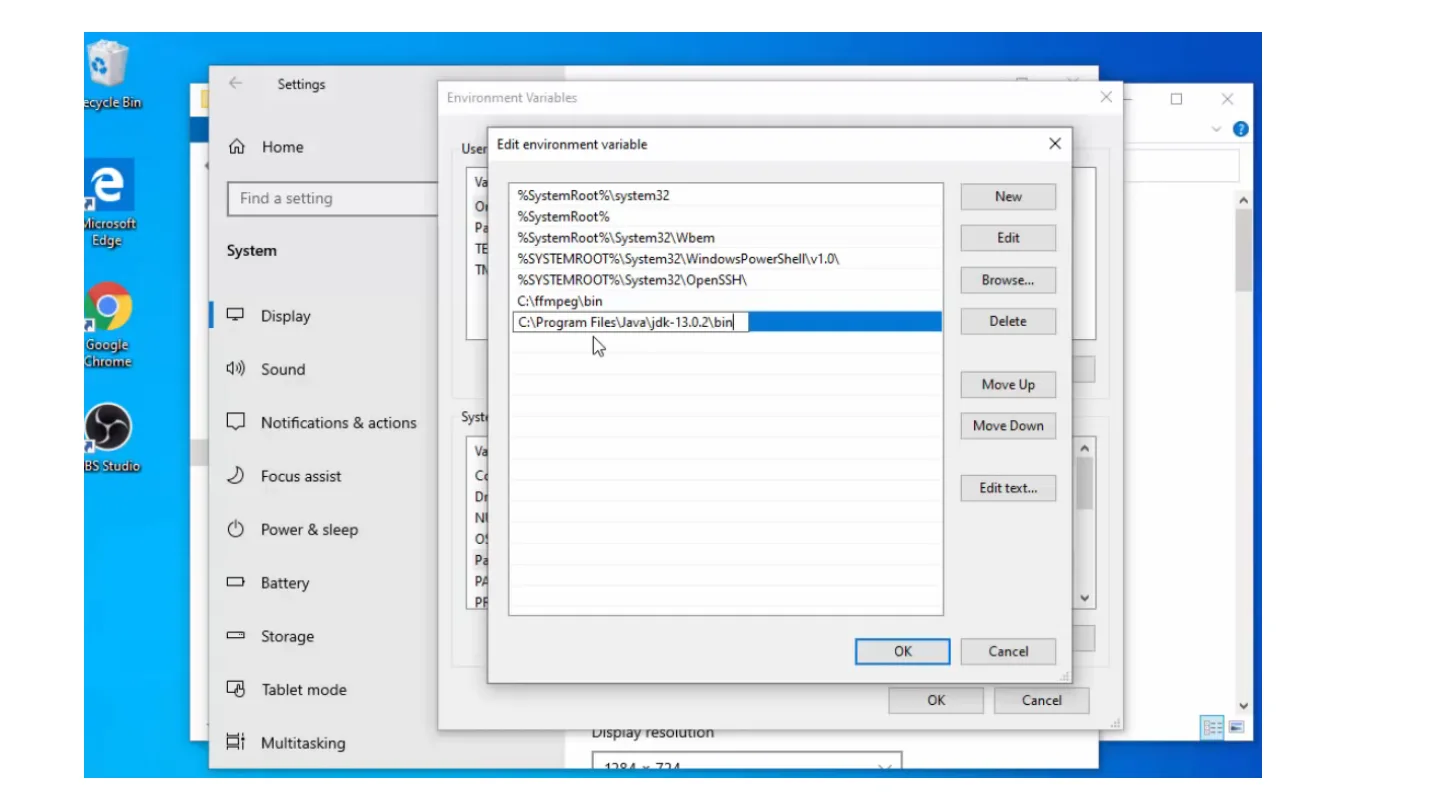
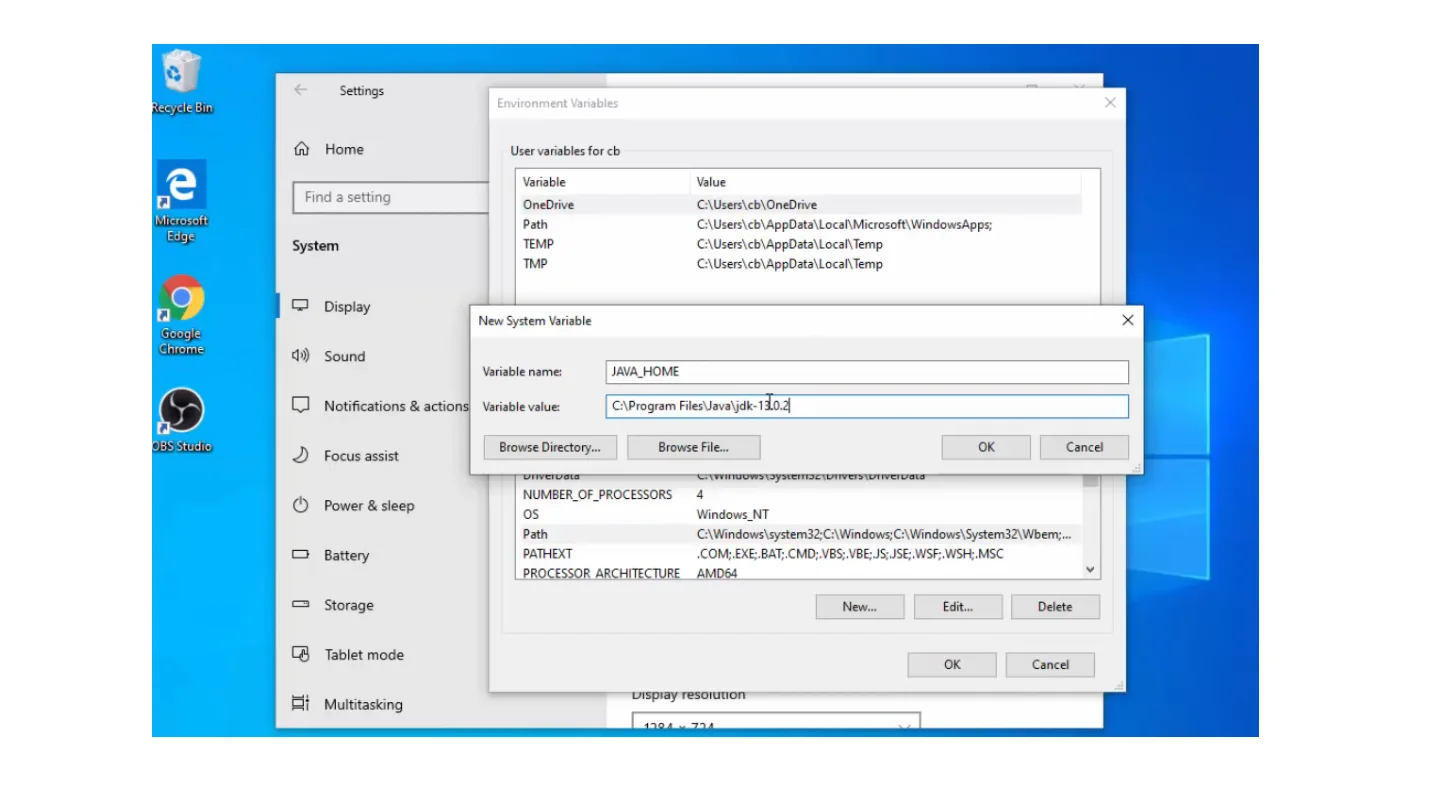
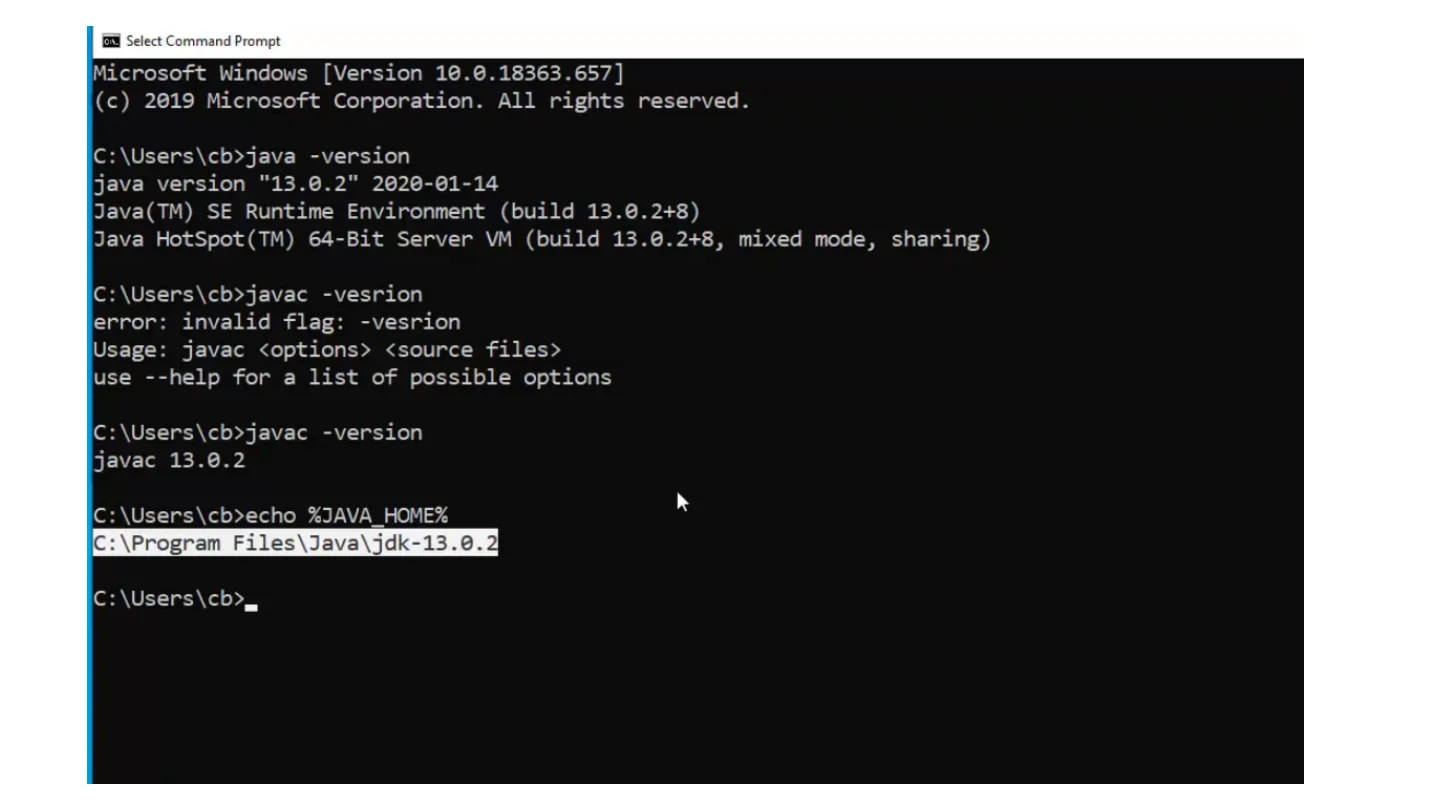
Use a maintained JDK compatible with your teaching environment. Confirm that both commands resolve before compiling. JAVA_HOME identifies a JDK directory for tools that use it; PATH determines which command executable the terminal finds.
Supplementary command exampleSHELL
1java -version2javac -version
Compile and run HelloWorld
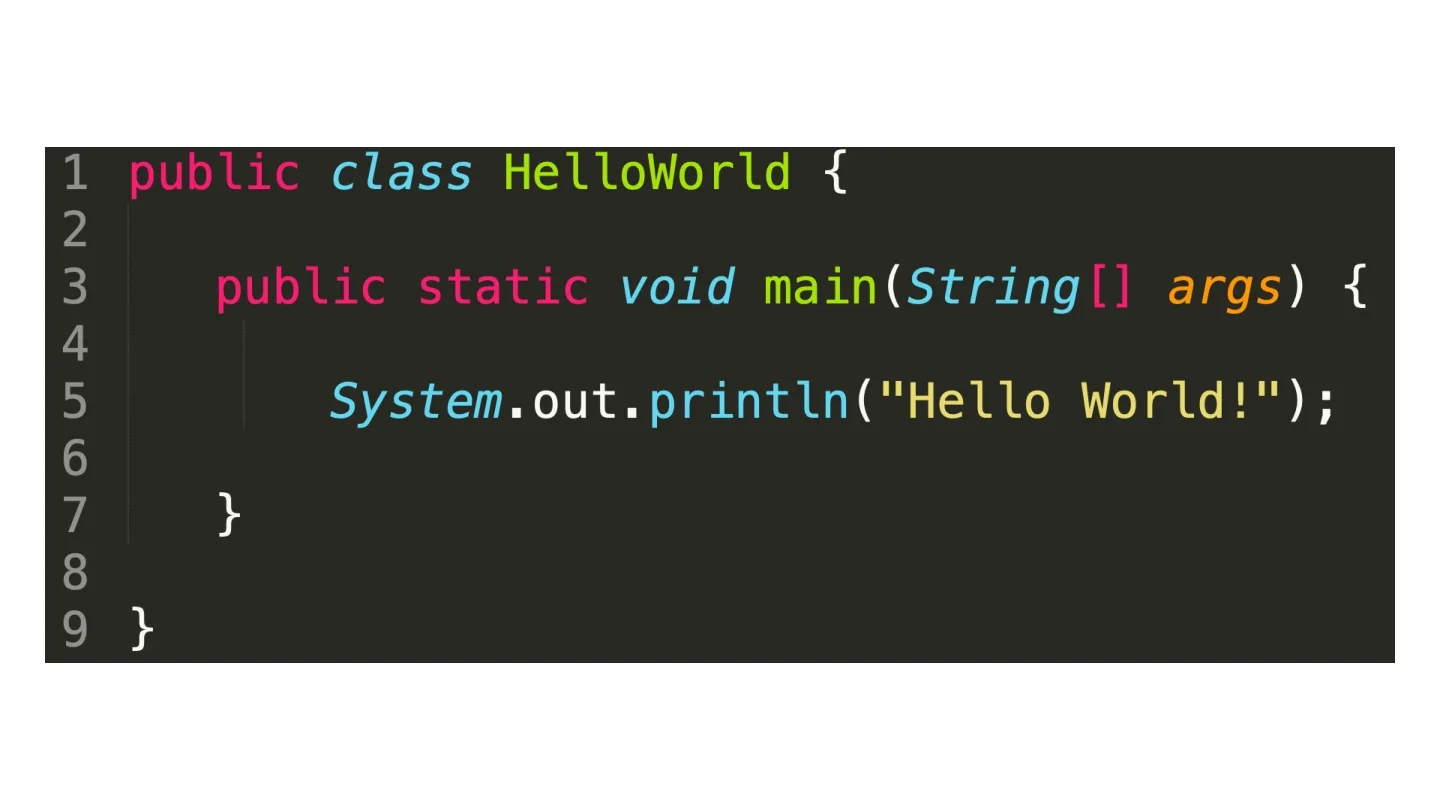
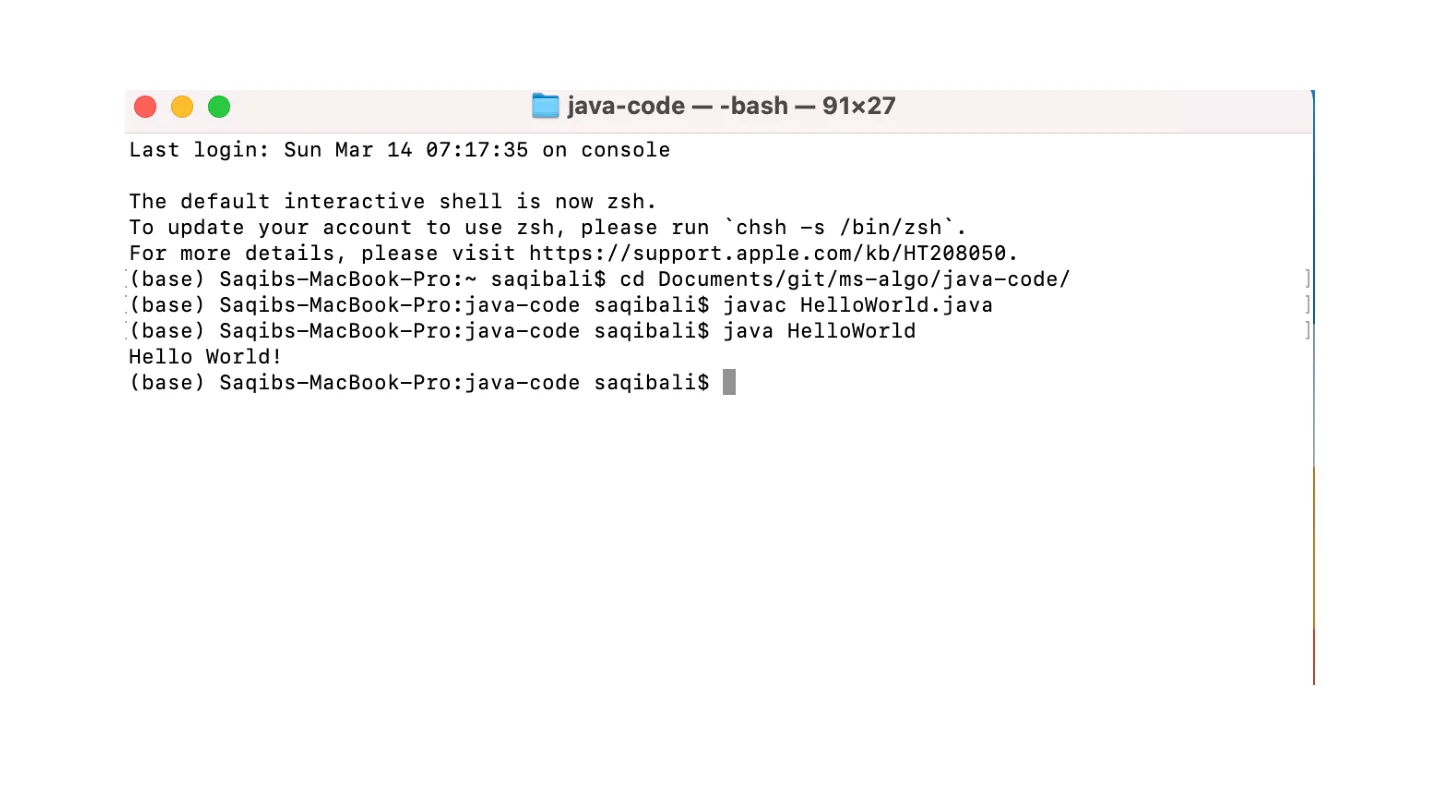
The supplied HelloWorld.java is a minimal program with a public static void main(String[] args) entry point. The public class name and filename must agree. Compile from the source directory, then invoke the class name without .java or .class.
javac creates bytecode in a .class file.
java loads the class and invokes its main method.
A compilation error must be fixed before the new bytecode exists.
If you edit source after compiling, recompile before testing the change.
Supplementary command exampleSHELL
1javac HelloWorld.java2java HelloWorld
Static and instance methods
A static method belongs to the class and can be called without constructing an instance. An instance method acts through an object and may use the state stored in that object. The supplied StaticMethod.java and InstanceMethod.java show this distinction.
Method parameters carry inputs into a computation. A return value carries its result back to the caller. Printing a result and returning a result are different operations.
Arguments, standard input and dependencies
Euclid reads two values from args, converts them to integers and prints the greatest common divisor. Other course examples read from standard input using StdIn and write using StdOut. These are supplied library classes, not built-in Java keywords.
The algs4 reference library uses the edu.princeton.cs.algs4 package. Keep those classes in the corresponding package hierarchy or use the matching library when compiling clients. Do not flatten or silently remove their package declarations.
Missing arguments can cause an array bounds exception.
Non-integer arguments can cause a number format exception.
Compile a selected example and its dependencies; the entire source collection includes duplicate class names and is not one flat Java application.
Supplementary command exampleSHELL
1javac Euclid.java2java Euclid 48 18
A repeatable experiment
Record the source version, input and runtime environment with each timing experiment. First establish that the program returns the expected result. Then measure performance using a clear input-size definition.
Original implementations
Read the complete original code and its documentation. Core algorithm pages add a walkthrough, complexity discussion and a worked example.
Supplementary practice. Try each question before opening the answer.
Why can java work while javac is not found?
The terminal may be finding a runtime without the compiler, or PATH may point to a different installation. Verify the JDK and both command locations.
Where does Euclid receive 48 and 18 in java Euclid 48 18?
They arrive as strings in args[0] and args[1], which main parses into integers.
Original course material
Complete lecture source
Every source page is preserved below. Open a page to read its text and inspect the original diagram, formula or example. Expanded explanations above are supplementary.
Page 01 · JavaInstallationOriginal page 1 · Open the image for full detail.
JavaInstallation
Searchable transcription (OCR; verify formulas against the image)
Java Installation
Google
java jdk download
Q All
Books
Videos
Images
: More
国News
Settings
Tools
About 20,300,000 results (0.50 seconds)
www.oracle.com>java>technologies>javase-downlo...
Java SE -DownloadsIOracle Technology Network|Oracle
Oracle Customers andISVs targeting OracleLTS releases:Oracle JDK is Oracle's supported
Java SE version for customers and for developing,testing, ...
JavaSEDevelopmentKit8
Java
The JDK includestools usefulfor
OracleJDK·OracleCustomers
developing and testing ...
andISVs targeting Oracle LTS...
JavaSEDevelopmentKit15
Java SE-Downloads
The JDK includes tools useful for
OracleJDK·OracleCustomers
developing and testing ...
and ISVs targeting Oracle LTS ...
JavaSEDevelopmentKit11
Java Development Kit 15 ..
Downloads-JavaSE11
JDK15ReleaseNotes.Thispage
Downloads-Checksum-...
provides links to all of the ...
Moreresultsfromoracle.com》
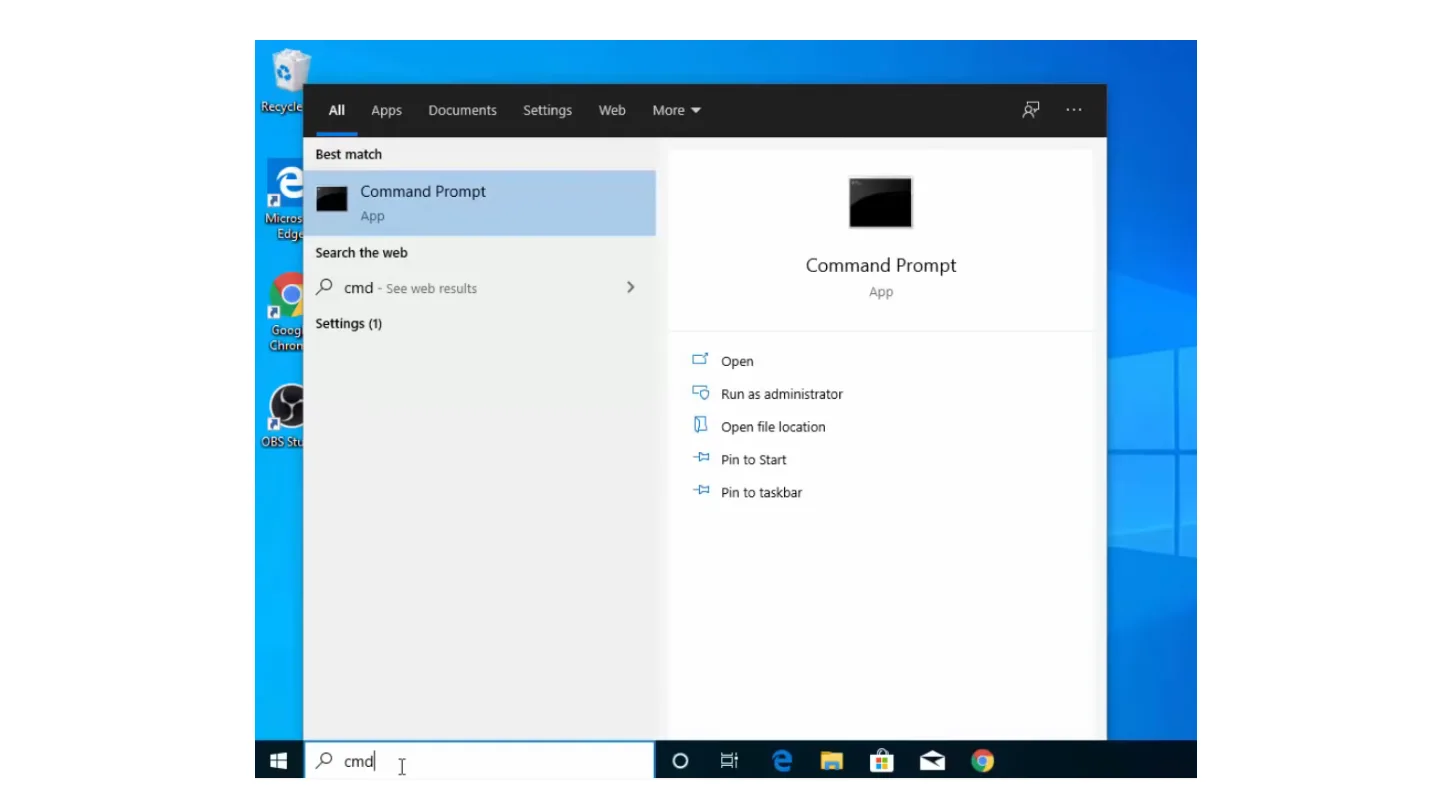
Page 02 · Visual explanation / original slideOriginal page 2 · Open the image for full detail.Searchable transcription (OCR; verify formulas against the image)
Recycle
All
Web
More
Apps
Settings
Documents
Best match
CommandPrompt
Micros
App
Edge
Search the web
Command Prompt
cmd - See web results
App
Goog
Settings (1)
Chron
Open
Run as administrator
Open file location
OBS Stu
Pin to Start
Pin to taskbar
cmd
Page 03 · Visual explanation / original slideOriginal page 3 · Open the image for full detail.Searchable transcription (OCR; verify formulas against the image)
CommandPrompt
MicrosoftWindows[Version10.0.18363.657]
(c)2e19 Microsoft Corporation.All rights reserved.
C:\Userslcb>java-version
'java'is not recognized as an internal or external
command,
operable program or batch file.
C:\UsersIcb>,
Page 04 · Visual explanation / original slideOriginal page 4 · Open the image for full detail.Searchable transcription (OCR; verify formulas against the image)
Page 05 · Visual explanation / original slideOriginal page 5 · Open the image for full detail.Searchable transcription (OCR; verify formulas against the image)
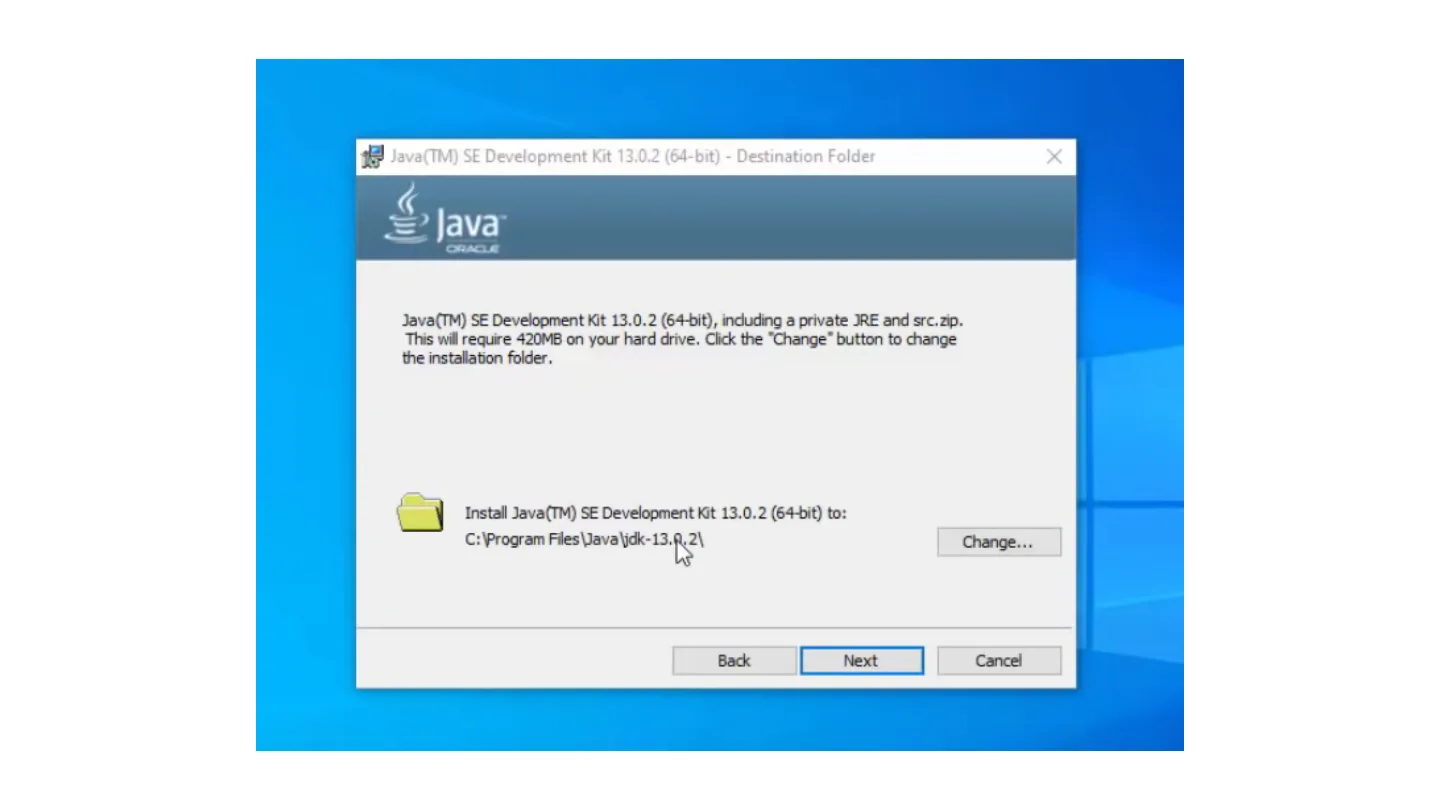
Java(TM) SE Development Kit 13.0.2 (64-bit) - Destination Folder
Java
CRACE
Java(TM) SEDevelopmentKit13.0.2 (64-bit),induding aprivateJREand src.zip.
This will require42oMBon your hard drive,Click the'Change'button tochange
theinstallationfolder.
Install Java(TM)SEDevelopmentKit13.0.2 (64-bit) to:
C:/ProgramFlesVavaljidk-13.R.21
Change...
Back
Next
Cancel
Page 06 · Visual explanation / original slideOriginal page 6 · Open the image for full detail.Searchable transcription (OCR; verify formulas against the image)
Page 07 · Visual explanation / original slideOriginal page 7 · Open the image for full detail.Searchable transcription (OCR; verify formulas against the image)
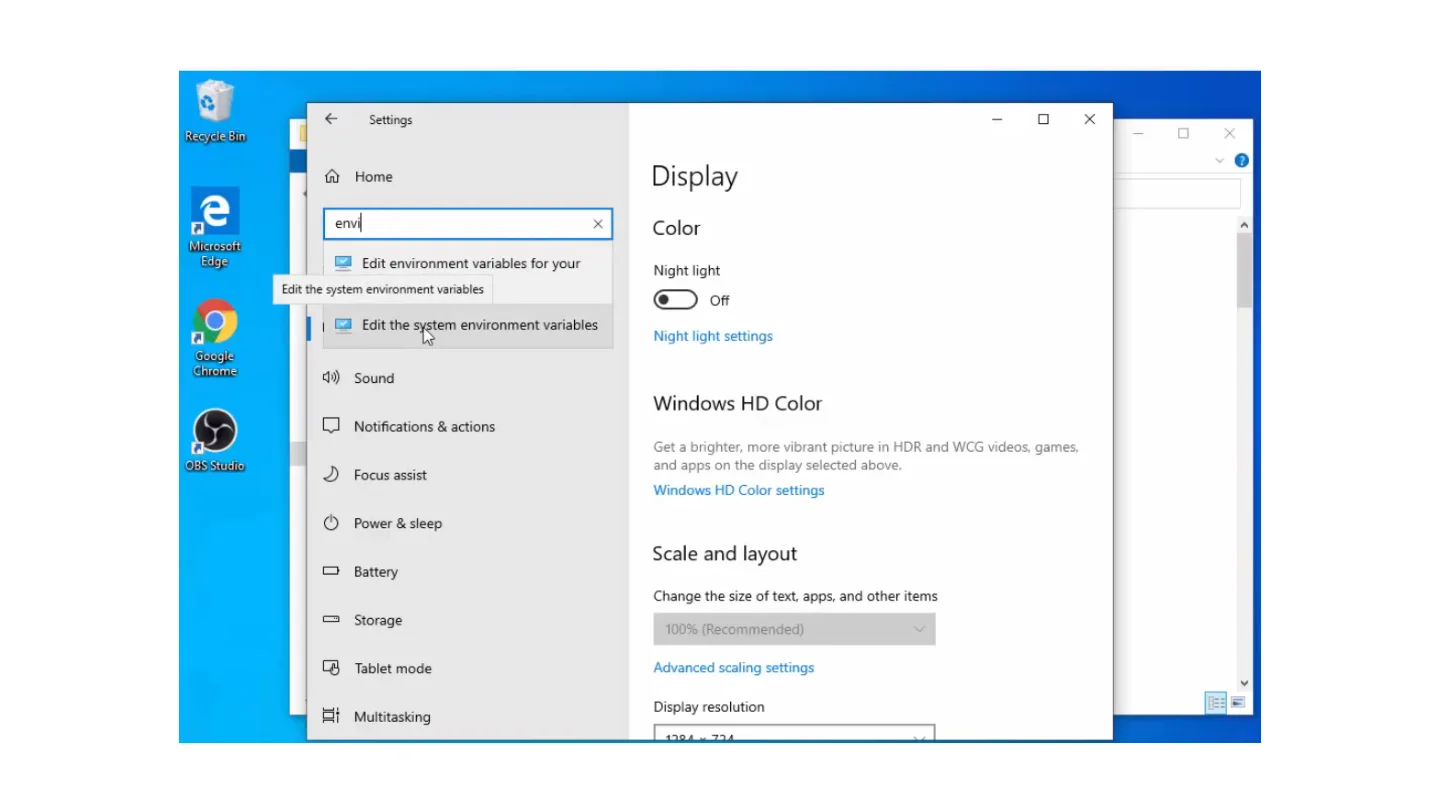
Settings
Recycle Bin
Home
Display
envi
Color
Microsoft
Edge
Edit environment variables foryour
Night light
Edit the system environment variables
Off
Edit.thesystemenvironmentvariables
Night light settings
Google
Chrome
Sound
WindowsHDColor
Notifications &actions
Get a brighter, more vibrant picture in HDR and WCG videos. games,
OBSStudio
Focus assist
and apps on the display selected above.
Windows HD Color settings
Power&sleep
Scale and layout
Battery
Change the size oftext, apps, and other items
Storage
100% (Recommended)
Tablet mode
Advanced scaling settings
Display resolution
Multitasking
Page 08 · Visual explanation / original slideOriginal page 8 · Open the image for full detail.Searchable transcription (OCR; verify formulas against the image)
Settings
Suggested:Firebase Tutorial for Android IFirebase tutoria
RecycleBin
Environment Variables
Home
Uservariablesforcb
Variable
Value
Find a setting
OneDrive
C:lUserslcblOneDrive
Microsoft
Path
C:/Userslcb\AppData)LocalMicrosoft\WindowsApps;
Edge
TEMP
System
C:\Userscb\AppData\LocaTemp
TMP
C:\Userslcb/AppData\Loca/Temp
Display
Google
Chrome
Sound
New..
Edit.
Delete
Notifications&actions
System variables
Variable
Value
OBS Studio
Focus assist
ComSpec
C:lWindowslsystem32/cmd.exe
DriverData
C:/Windows|System32/Drivers/DriverData
NUMBER_OF_PROCESSORS
Power&sleep
OS
Windows_NT
Path
C:/Windowslsystem32;C:1Windows;C:/Windows1System321Wbem...
Battery
PATHEXT
.COM;.EXE;.BAT,.d.MD;.VBS;.VBE;JS;JSE;.WSF;.WSH.MSC
PROCESSORARCHITECTURE
AMD64
Storage
Ne...
Edit..
Delete
Tablet mode
OK
Cancel
Disprayresorutron
Multitasking
Page 09 · Visual explanation / original slideOriginal page 9 · Open the image for full detail.Searchable transcription (OCR; verify formulas against the image)
Settings
Environment Variables
RecycleBin
Home
User variables for cb
Variable
Value
Find a setting
OneDrive
C:/UserslcblOneDrive
Microsoft
Path
C:/Usersicb\AppData\Local\Microsoft/WindowsApps;
Edge
System
TEMP
C:/Userslcb\AppData\Local/Temp
TMP
C:\Userslcb\AppData\Local\Temp
Display
Google
Chrome
Sound
New...
Edit...
Delete
Notifications &actions
System variables
Variable
Value
pBSStudio
Focus assist
ComSpec
C:1Windowslsystem32/cmd.exe
DriverData
C:1WindowsISystem32/Drivers/DriverData
NUMBER_OF_PROCESSORS
Power&sleep
OS
Windows_NT
Path
C:1Windowslsystem32;C:/Windows;C:/Windows1System321Wbem.
Battery
PATHEXT
.COM;.EXE.BAT;.CMD;.VBS;.VBE;JS;JSE;.WSF.WSH;.MSC
PROCESSORARCHITECTURE
AMD64
Storage
New..
Edit..
Delete
Pause (k)
Tablet mode
OK
Cancel
Multitaeline
Disprayresoruton
Page 10 · Visual explanation / original slideOriginal page 10 · Open the image for full detail.Searchable transcription (OCR; verify formulas against the image)
Settings
Environment Variables
ecydleBin
Home
User
Edit environmentvariable
Find a setting
%SystemRoot%lsystem32
New
Microsoft
%SystemRoot%
Pa
%SystemRoot%1System321Wbem
Edge
System
TE
%SYSTEMROOT%1System321WindowsPowerShel/v1.01
%SYSTEMROOT%1System32/OpenSSH
Browse...
C:Affmpeg\bin
Display
C:\Program FilesVavaljdk-13.0.2\binl
Delete
Google
Chrome
punos
Move Up
Notifications&actions
Systi
MoveDown
BSStudio
Focus assist
Edit text...
Power&sleep
Pa
Battery
PA
PF
Storage
OK
Cancel
Tablet mode
OK
Cancel
胖口
Multitasking
Dispiayresorution
1204x724
Page 11 · Visual explanation / original slideOriginal page 11 · Open the image for full detail.Searchable transcription (OCR; verify formulas against the image)
Settings
Environment Variables
Recycle Bin
Home
User variables for cb
Variable
Value
Find a setting
OneDrive
C:UserslcblOneDrive
Micro5oft
Path
Edge
C:\Users\cb\AppData\Local\Microsoft/WindowsApps;
System
TEMP
C:Userslcb\AppDatalLocalTemp
TMP
C:/Userslcb\AppData\Local\Temp
Display
New System Variable
Google
Chrome
punos
Variable name:
JAVA_HOME
Notifications &actions
Variable value:
C:IProgram FilesVavaydk-13L0.2
Browse Directory...
Browse Fil...
OK
Focus assist
Cancel
NUMBER_OF_PROCESSORS
Power & sleep
OS
Windows_NT
Path
C:/Windowslsystem32;C:/Windows;C:/WindowslSystem32/Wbem..
Battery
PATHEXT
.COM;.EXE;.BAT.CMD;.VBS;.VBE;JS;JSE;.WSF;.WSH.MSC
PROCESSORARCHITECTURE
AMD64
Storage
Ne...
Edit...
Delete
Tablet mode
OK
Cancel
Multitasking
Dispray resorutron
Page 12 · Visual explanation / original slideOriginal page 12 · Open the image for full detail.Searchable transcription (OCR; verify formulas against the image)
SelectCommandPrompt
Microsoftwindows[Version1e.e.18363.657]
(c)2o19Microsoft Corporation.Allrights reserved.
C:lUsers\cb>java -version
javaversion"13.0.2"2020-01-14
Java(TM)SERuntime Environment(build 13.0.2+8)
Java HotSpot(TM) 64-Bit Server VM(build 13.0.2+8, mixed mode, sharing)
C:\Userslcb>javac-vesrion
error:invalid flag:-vesrion
Usage:javac<options><sourcefiles>
use --help for a list of possible options
C:\Users\cb>javac -version
javac13.0.2
C:/Users|cb>echo%JAVA_HOME%
C:ProgramFileslJavaljdk-13.0.2
C:\Users/cb>,
Page 13 · ### Oracle JavaOriginal page 13 · Open the image for full detail.
Page 14 · Visual explanation / original slideOriginal page 14 · Open the image for full detail.Searchable transcription (OCR; verify formulas against the image)
public class
Helloworld3
public static void
main(String[)
args){
System.out.println("Hello World!");
Page 15 · Visual explanation / original slideOriginal page 15 · Open the image for full detail.Searchable transcription (OCR; verify formulas against the image)
java-code--bash-91x27
Lastlogin:SunMar1407:17:35onconsole
The default interactive shell is now zsh.
:(base)Saqibs-MacBook-Pro:java-codesaqibalisjavacHelloworld.java
:(base) Saqibs-MacBook-Pro:java-code saqibalis java Helloworld
Hello World!
(base)Saqibs-MacBook-Pro:java-code saqibalis